
Vertical · Energy companies
Secure identity for energy companies
From an employee’s working day to a contractor’s assignment and a customer’s account. Fortified ID brings strong authentication and governed identity workflows into your existing IT environment.


Strong sign-in for an organisation with many roles
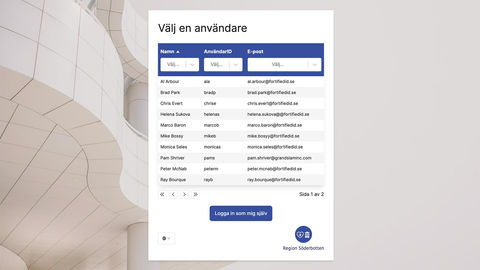
Office staff, operations teams, field workers and external specialists use different systems in different settings. Sign-in needs to match the user, the service and its security requirements.
Access brings together MFA, eID and Single Sign-On. Connect applications through SAML or OpenID Connect and choose methods based on context. You can extend Entra ID, Active Directory and existing identity solutions step by step.


Give contractors the right access for their assignment
An engineering consultant needs project access. A contractor changes assignment and a supplier’s contract ends. External identities need a responsible owner, clear permissions and a planned end date.
With Control, you can configure requests, approvals, delegated administration and time-limited assignments. Access then handles authentication to connected services, creating a coordinated workflow for external users.


Manage accounts when people join, change roles or leave
New hires, organisational changes and departures affect many accounts and permissions. Manual requests make it difficult to track what has been assigned and what needs to be removed.
Control connects identity lifecycle management with self-service, rules, approvals and provisioning to connected systems. Add Password Reset for secure password recovery, including when users work away from the office.

Make your customer portal a secure starting point
Customers need secure access to digital services. Your customer portal also needs the right identity information and a way to connect it to the correct customer relationship.
Access can broker sign-in with methods such as BankID or Freja to connected portals through SAML or OIDC. Centralise authentication and let the portal’s business logic handle contracts, customer relationships and which information each user may see.

Start with your environment and introduce changes in stages
Begin with a defined workflow: a partner portal, sign-in to a business application or contractor lifecycle management. We review your directories, applications, hosting requirements and integration needs.
Fortified ID can run on-premises, with an operations partner or in a hybrid environment. Connections to systems close to operations and OT need to be assessed against their interfaces and your security architecture, so the identity solution fits your existing security boundaries.
Questions about identity and access for energy companies
- Can we keep Entra ID and Active Directory?
- Yes. Access can extend existing identity platforms with strong authentication and federation. Control can connect to directories and other source and target systems to manage identity lifecycles.
- Can contractor access be time-limited?
- Yes. Control lets you configure assignments with validity periods, an owner and an approval workflow. Deactivation and removal need to be connected to each target system and its integration.
- Can we use BankID in our customer portal?
- Yes. Access can handle BankID sign-in and pass the identity to your customer portal through SAML or OIDC. Customer relationships and authorisation decisions follow the portal’s information model.
- How do we start?
- Choose a concrete workflow and map its users, systems, identity sources and security requirements. We can then plan integrations, test the workflow and expand in stages.